?
Loading…
@…
Connected
Free
—
Messages Saved
—
Recovered
—
Active Chats
Media Storage
Photos · Videos · Documents
— / —
Recent ChatsSee all ›
💬No chats saved yet.
Add me to a group and run /savechat to start!
Add me to a group and run /savechat to start!
Data
Delete All Data
Remove all saved chats and messages
›
Setup Instructions
How to connect and configure ChatAegis
›
My Chats
0/3
💬No chats saved yet.
Add me to a group and run /savechat to start!
Add me to a group and run /savechat to start!
‹
?
Chat
● Saving active
Notifications
Push Notifications
Get alerted when messages are deleted
Silent Mode
Notifications without sound
Backup
Save Chats
Automatically back up all incoming messages
Auto-Read Messages
Read before auto-delete timer expires
Subscription
Free Plan
Upgrade to unlock all features
FREE
Command Helper
/savechat
/mute
/unmute
/spam
/love
If autosave is disabled, use /savechat to manually start saving a specific DM chat. Only works in DMs — not in groups.
Active Links
View and manage your shared chat links
›
Language
Theme
Default
✓
Aurora
✓
Neumorphic
✓
Studio
✓
Account
Contact Support
Get help or report a bug
›
Invite & earn rewards
Share ChatAegis and unlock Plus free
Your invite link
Loading…
Your progress
— / 3
Reward tiers
Invited friends (0)
No invites yet — share your link!
?
Admin
@admin
Plus
Admin
∞
Overview
—
Total Users
—
Plus Active
—
Messages Saved
—
New This Month
💾 База данных
—
Тексты: —
Медиа: —
Доки: —
Monthly New Users
Loading…
Users0
👥Loading users…
Step 1 of 3
0%
✦ Step 1
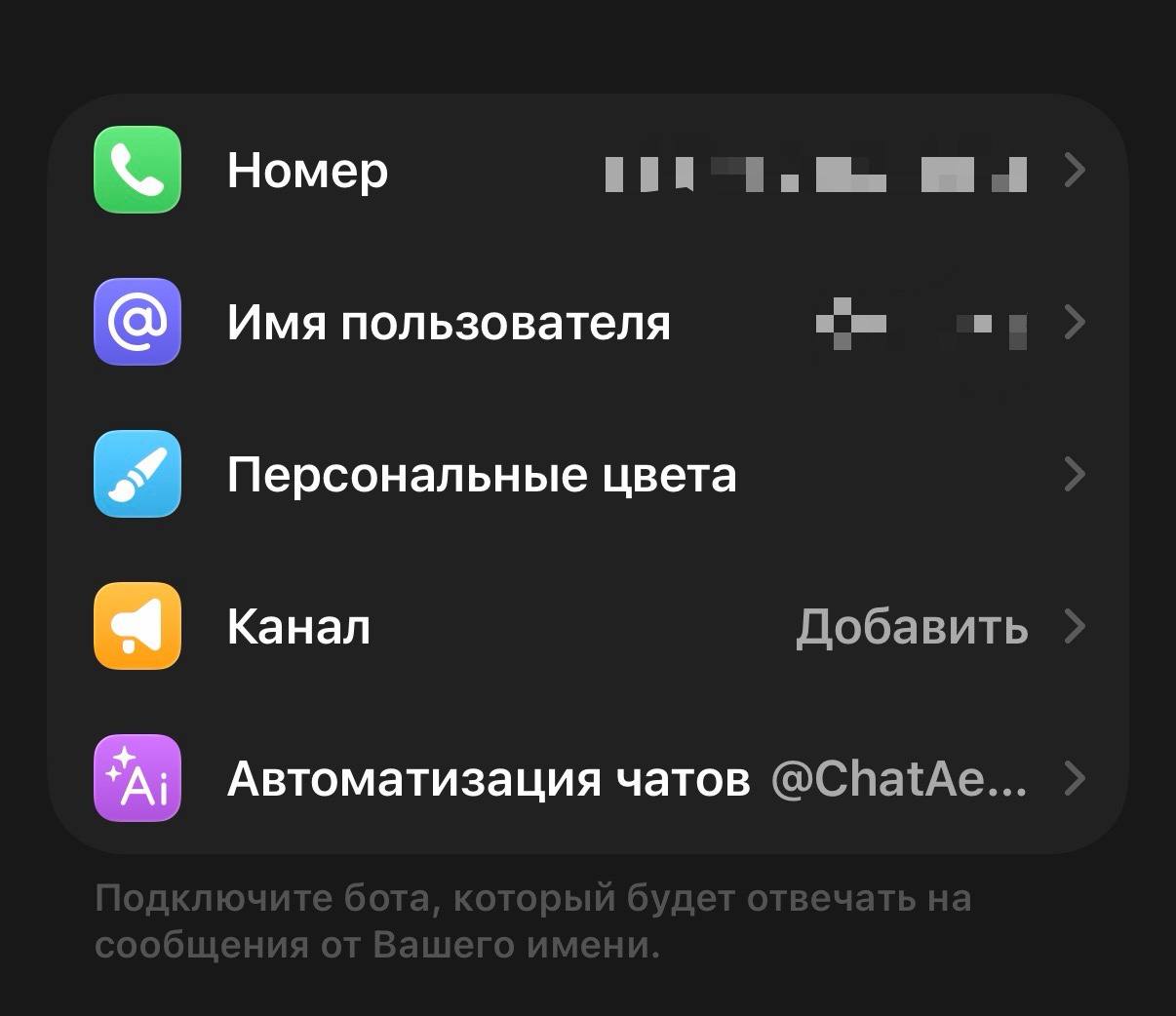
Connect to Telegram Business
Choose how you want to connect — both methods work.
⭐ С Премиум
✦ Без Премиум
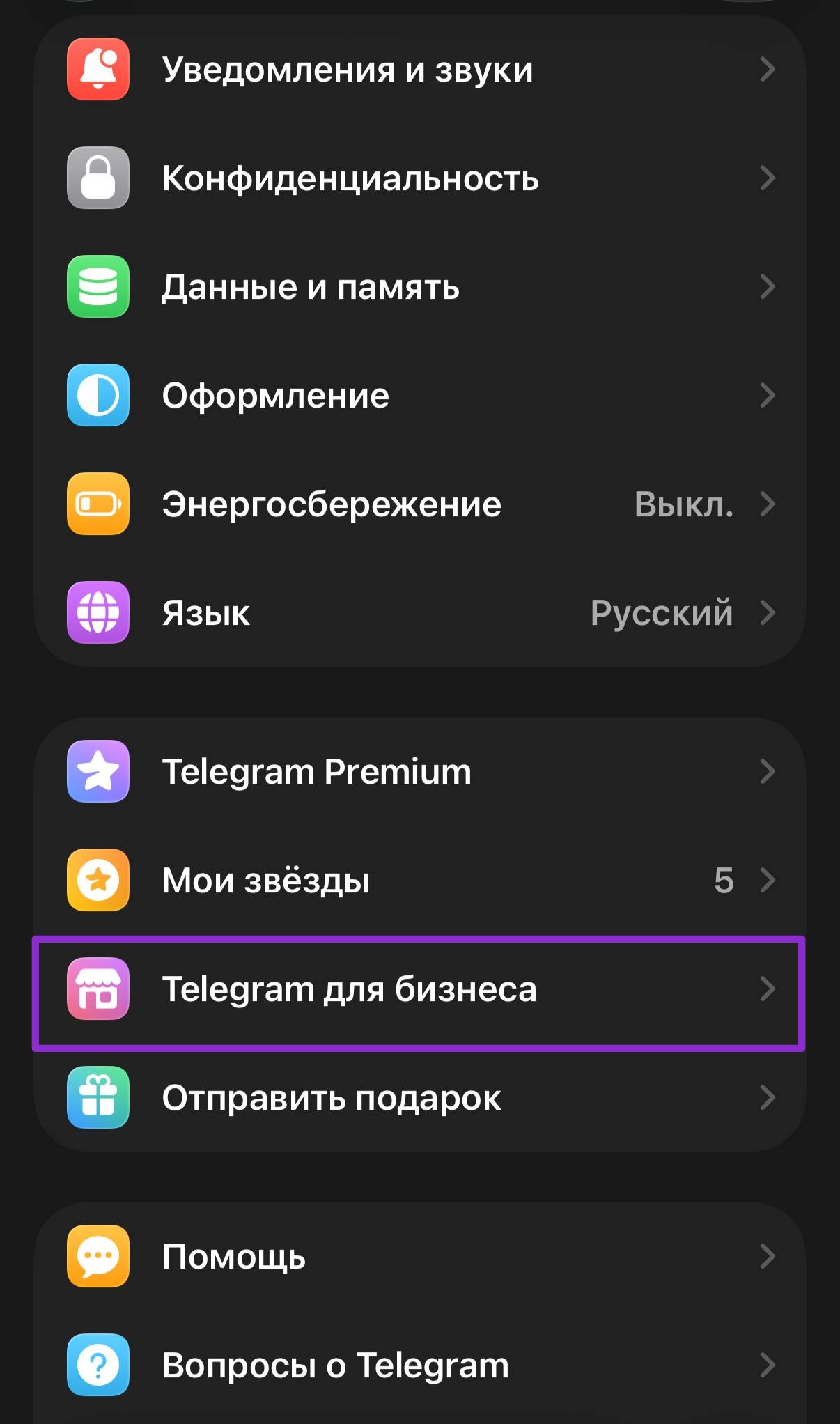
1
Open Telegram Settings
Tap the ☰ menu → Settings
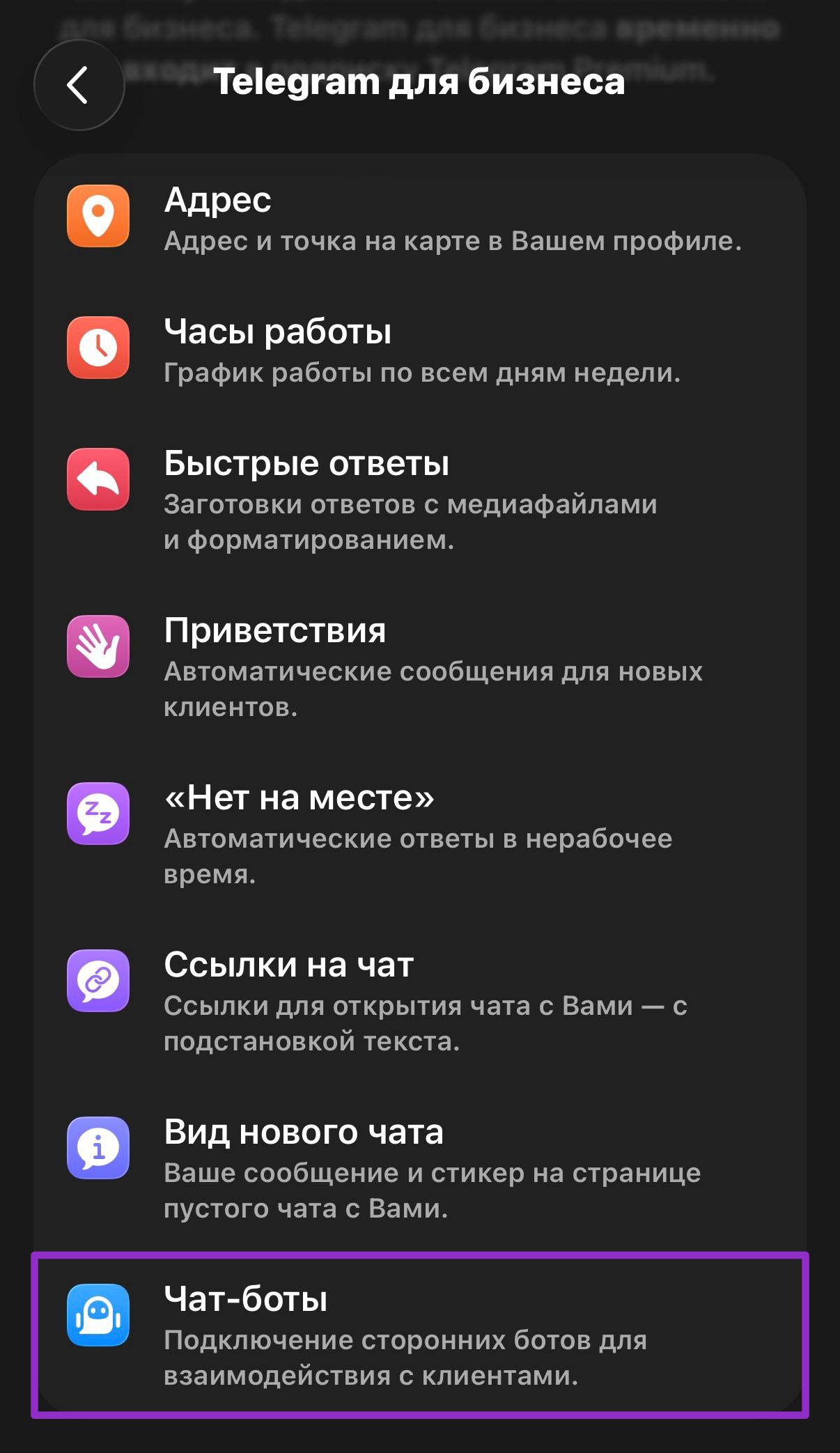
2
Go to Telegram Business
Scroll down and tap Telegram Business
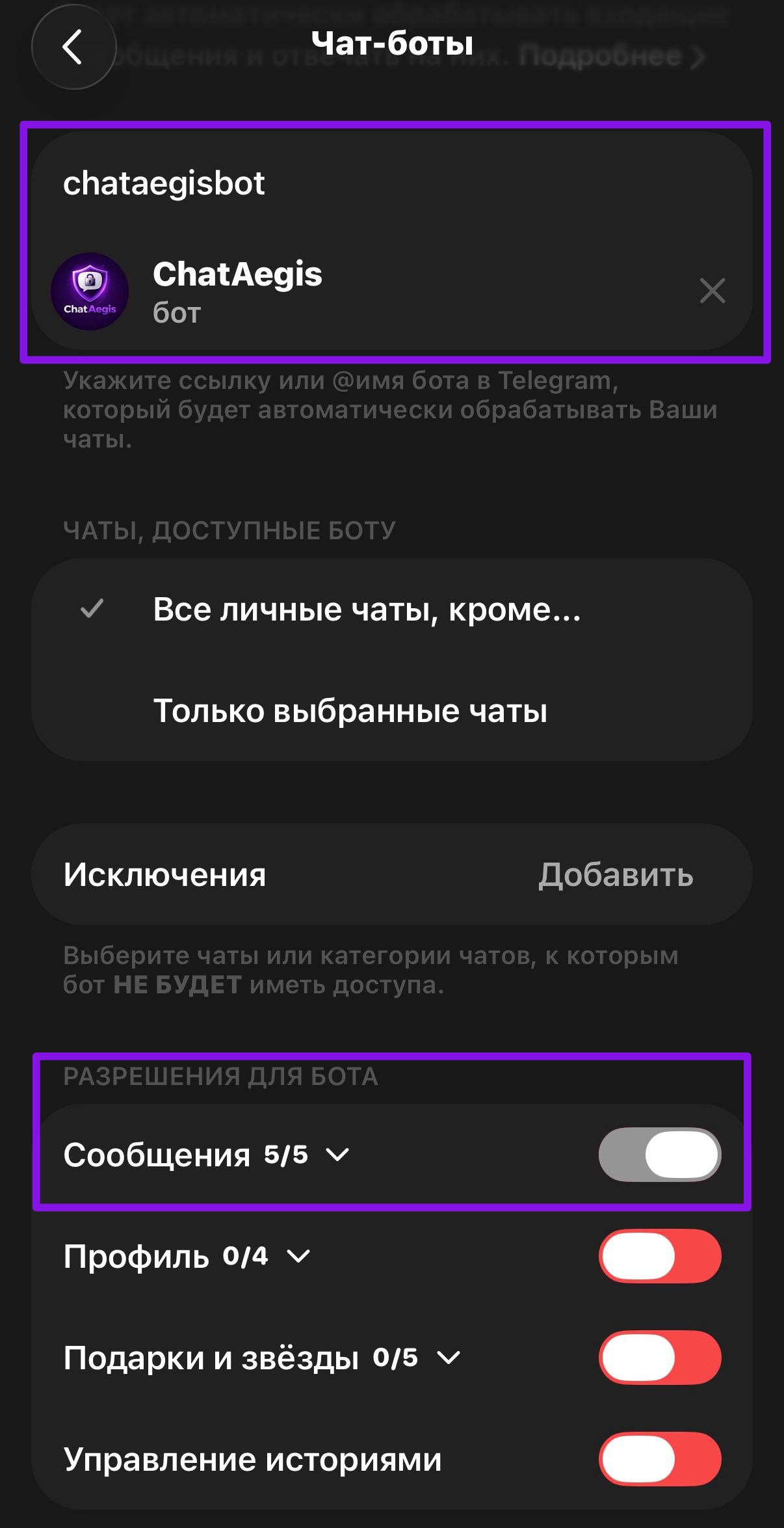
3
Select Chatbots
Tap Chatbots and enter
@ChatAegisBot4
Tap Add & Confirm
Hit Add to link the bot to your account
Telegram Premium required for this method
✦ Step 2
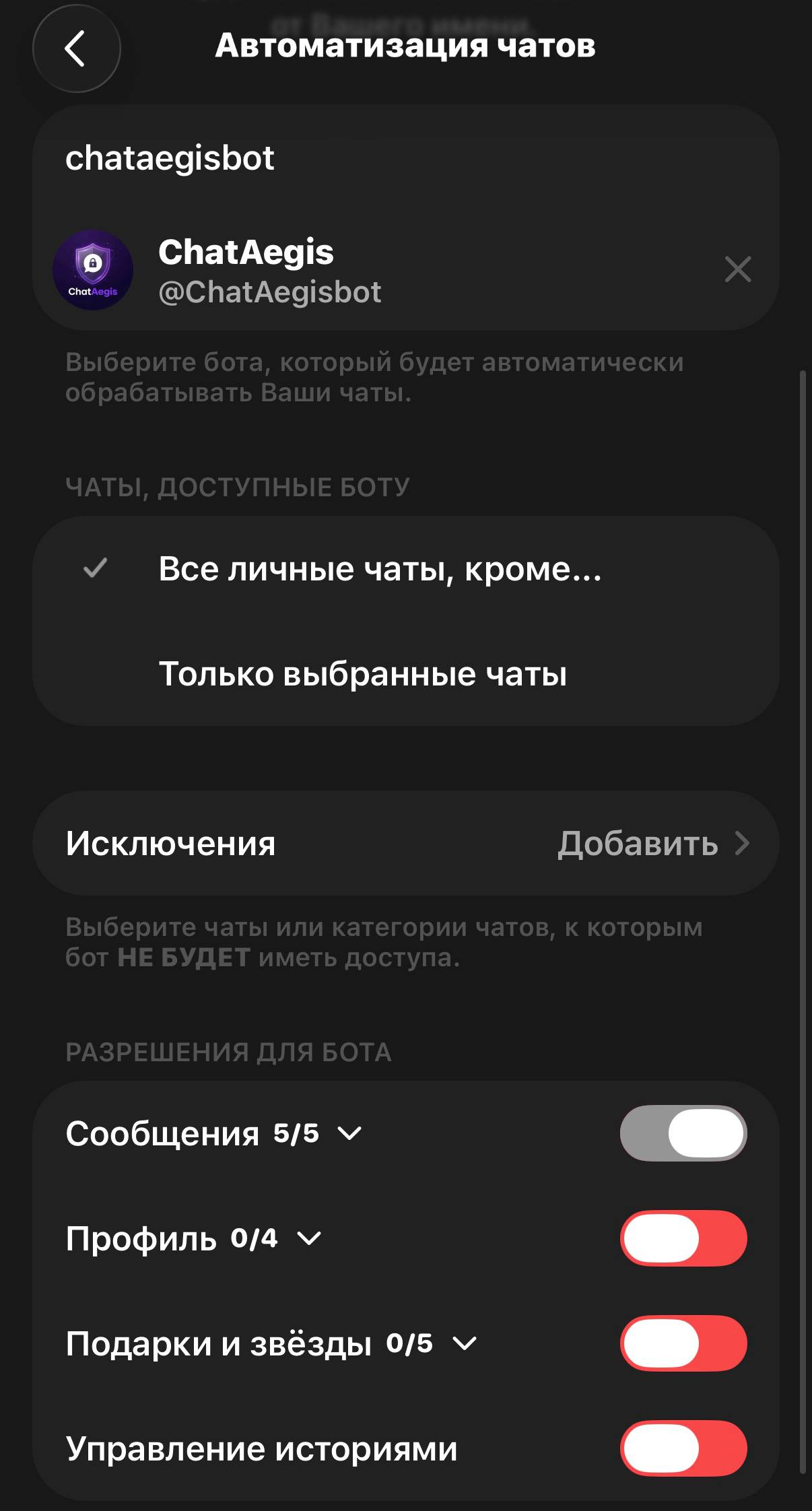
Grant Permissions
ChatAegis needs message access to save and recover your chats.
Read Messages
Required
Receive Deleted Messages
Required
Access Media Files
Required
View Message History
Required
Receive Edited Messages
Required
Enable all 5 permissions in the Messages section (5/5)
🛡️
You're Protected
ChatAegis is now watching your chats. No deleted message will go unseen.
150MB
Storage
3
Chats
∞
Messages
✕
All
🗑 Deleted
✏️ Edited
🖼 Media
🔍
Video Downloader
youtube · tiktok · instagram · x
YouTube×3
TikTok
Instagram
X
Song ID
upload a video to identify the song
Upload a video
tap to choose a video
↑
Day
Week
Month
// messages this period
0
today
↑
+12% vs yesterday
💬 active chats
0
of 15 total
⏰ peak hour
--:--
most active
🖼 media files
0
photos · videos
⌨️ avg/hour
0
messages/hr
📈
activity by hour
Promo Code
Enter a code to activate Plus or bonuses
0/12
👑
No promo code?
Get Plus directly
✈️
Promo codes in our channel
@chataegisinfo — tap to join
Active Links
Your shared chat links
Loading…